
Scan the sheet
One photo of the clinic protocol becomes a plan you can actually read.
9:41
Cove IVF
Photograph the protocol, keep tonight's lineup, protect the trigger shot, and hold the rest in one encrypted place.
One photo of the clinic protocol becomes a plan you can actually read.
Each medication, dose, and time on one card. Mark it done when you've taken it.
A countdown and an alarm you confirm. Discreet on the lock screen.
Your clinic sheet is the source of truth. Cove turns it into a lineup you can check, mark done, and update when the dose changes.
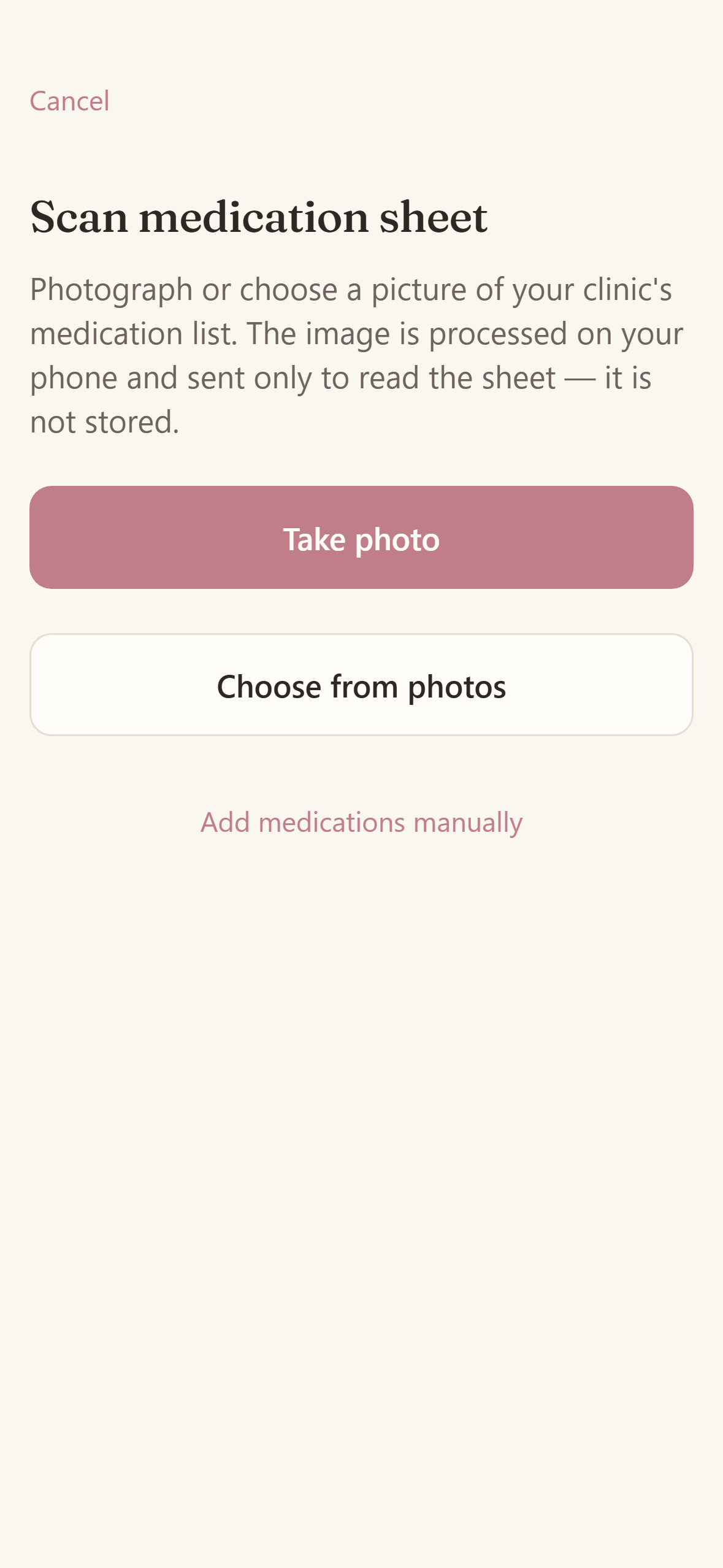
Photograph your clinic's medication sheet. Cove reads the drugs, doses, and times, then waits for you to confirm every value.
Nothing is scheduled until you check it against your own sheet. Edit any value by hand, or retake the photo.
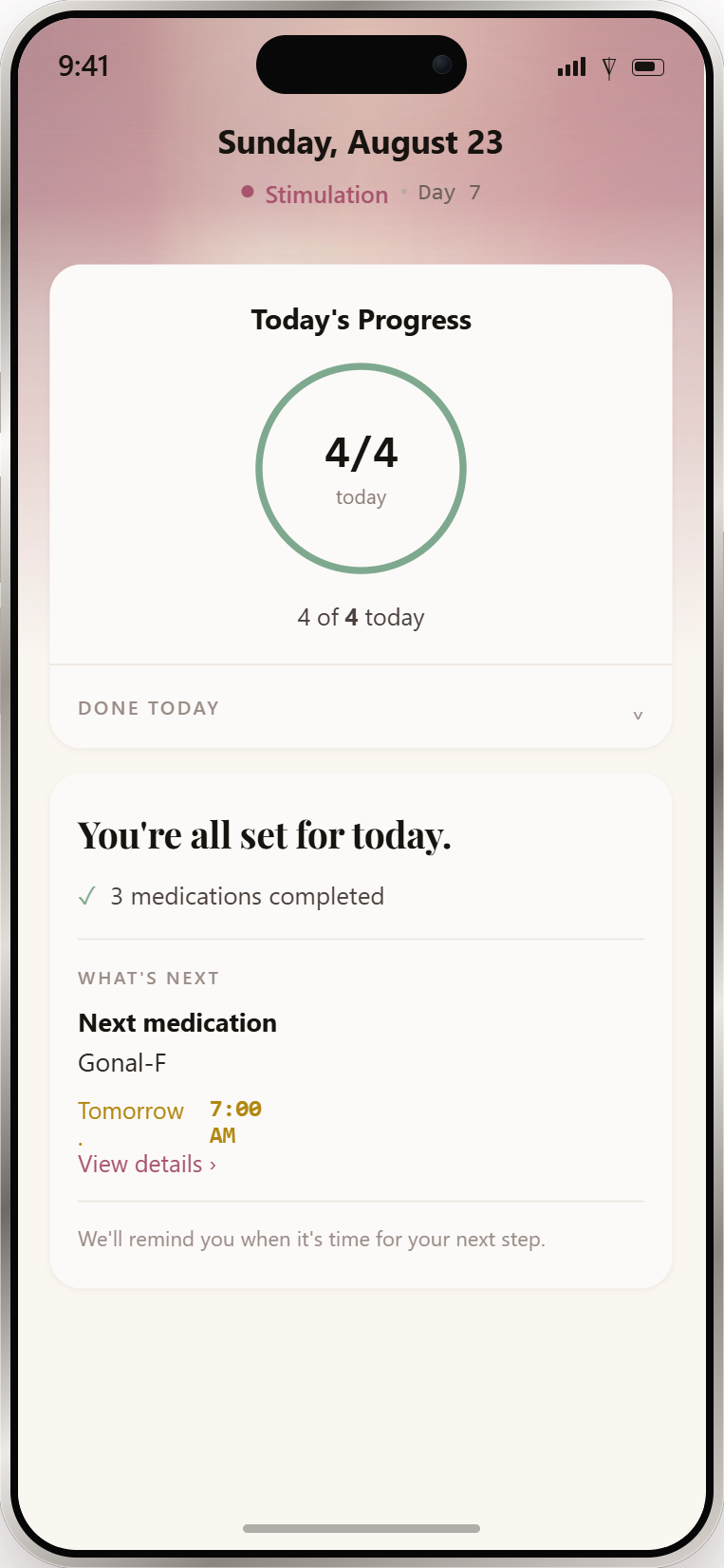
Exactly what to take, in what dose, at what time. Mark each one done. Tomorrow morning stays visible without crowding tonight.
A reminder fires at the time you set. Missed doses stay on Today until you mark them taken. They are never quietly dropped.
When monitoring changes one number, update it once. Tonight's card, later reminders, and your log all follow.
Prefer to type? Add a medication yourself: name, dose, unit, start, stop, and times of day.
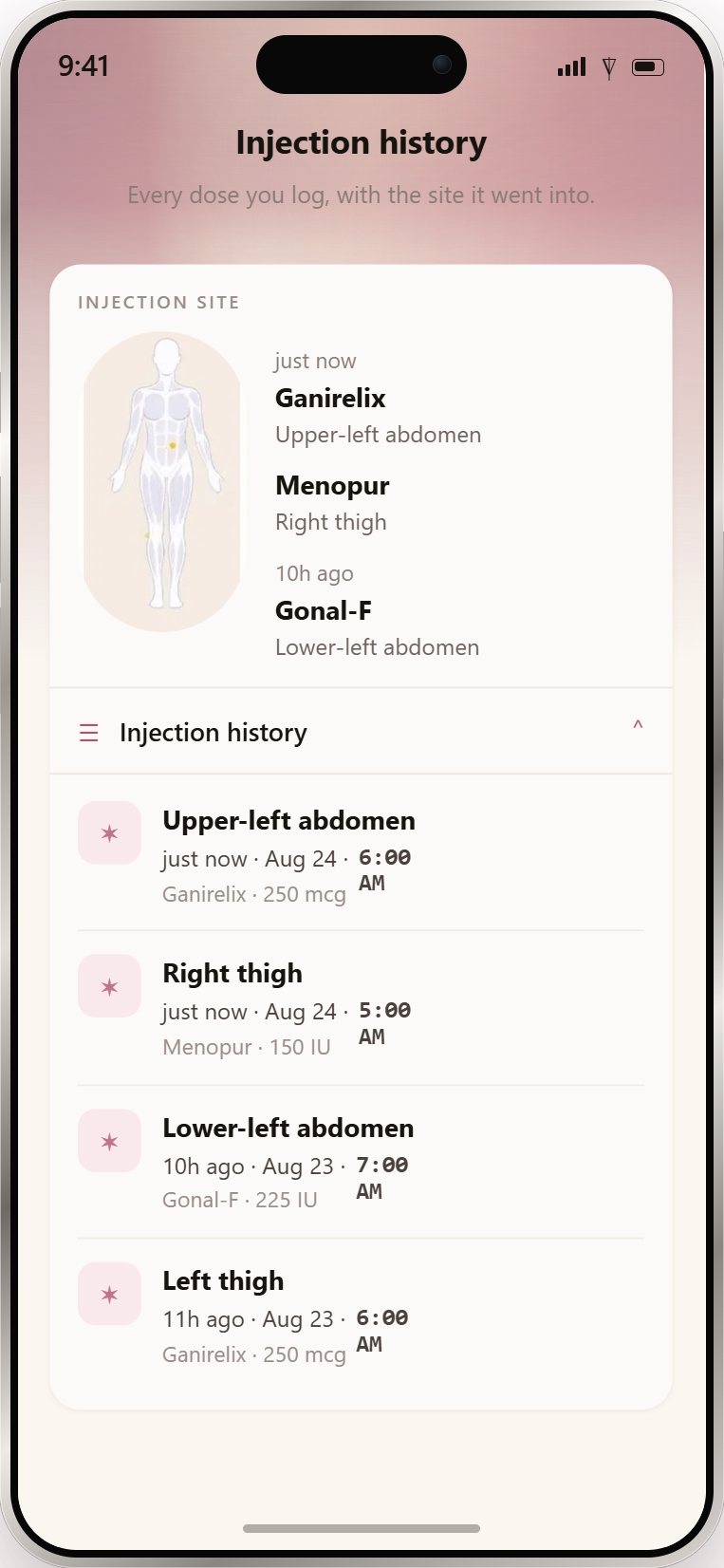
When you mark a shot taken, tap where you injected. Recent sites stay on the diagram so the next spot isn't a guess.
Optional stock on each med line: how much you have left, and how many nights that covers.
Keep the time your clinic gave you visible. Notifications depend on your phone settings and permissions; use an independent backup alarm.
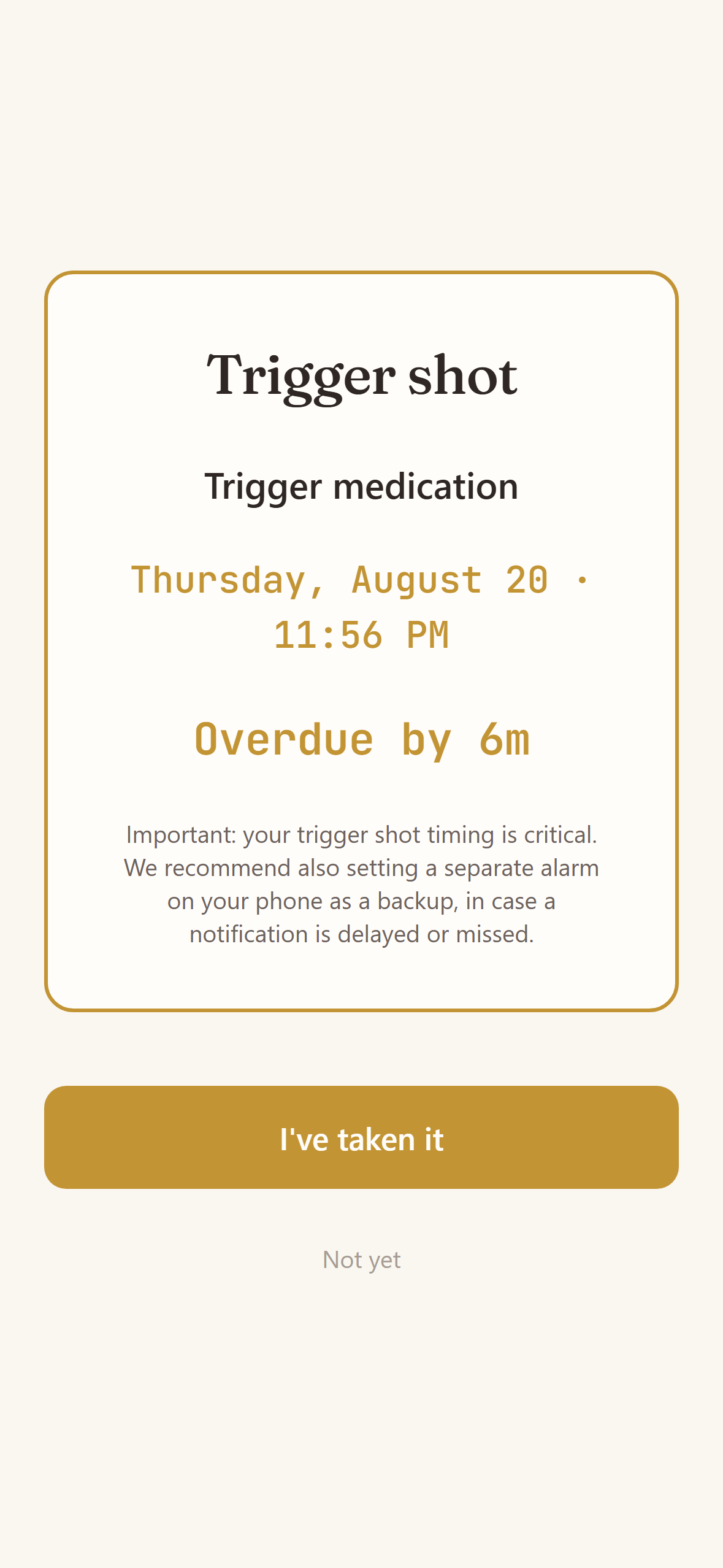
A countdown and reminders for your scheduled trigger shot. Android can show a full-screen alarm where permitted; iOS uses notifications and does not bypass silent mode. Set a separate backup alarm.
Pausing a cycle stops routine dose reminders. The trigger reminder in Cove stays scheduled. Set a backup phone alarm too.
Reminders can hide medication names on your lock screen. Turn that on in Settings, so a glance doesn't announce your cycle.
Doses and visits in one list, so you can see what's next without opening each screen.
Choose how far ahead Cove should nudge you before a visit. The clinic and the hour stay on the card.
A cycle is more than tonight's meds. Cove keeps the stage, the calendar, and the clinic visits beside the same plan.
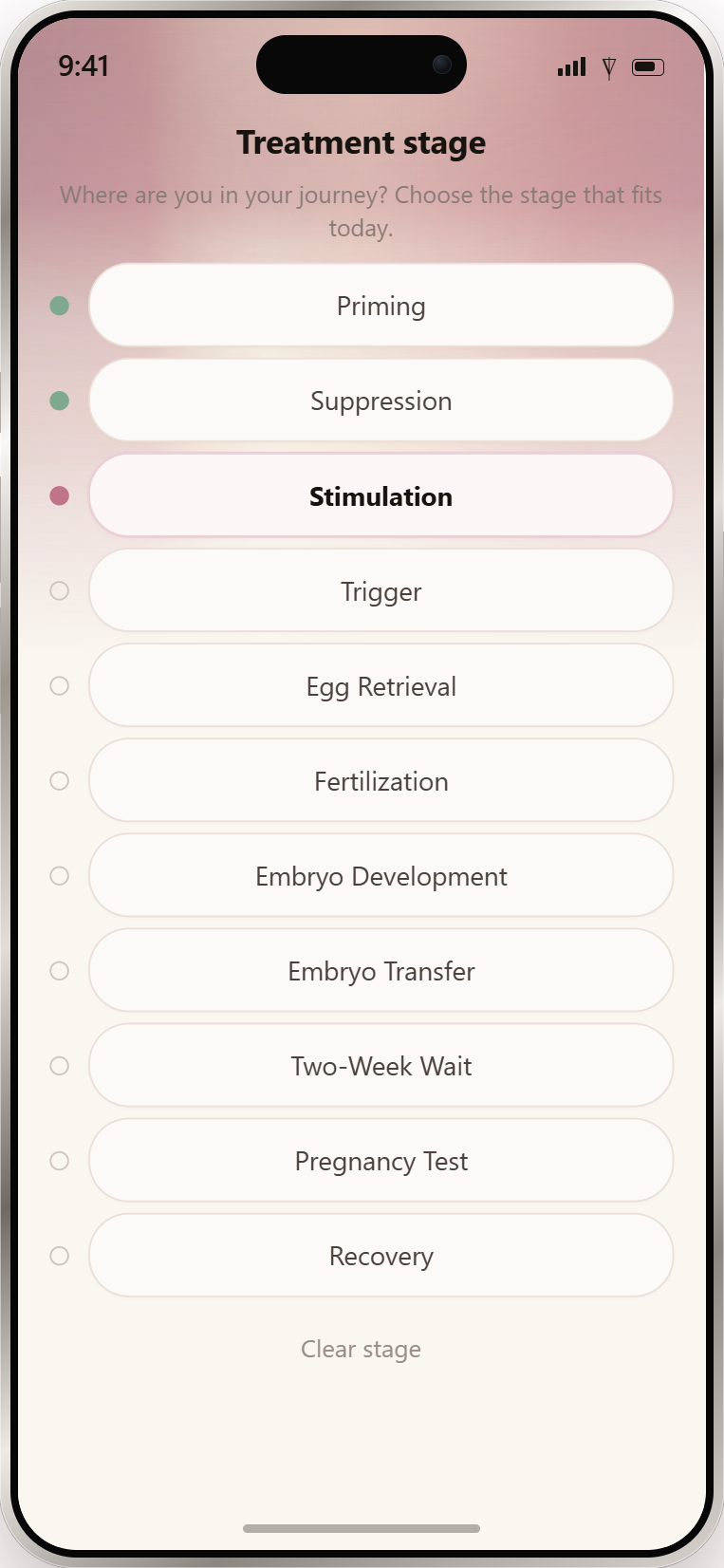
From priming through recovery. Choose the stage that fits today. Cove uses it to show where you are, not to change your protocol.
Medications and visits on one calendar, opened from the top bar. Tap a day to see what was due.
Every scan and monitoring visit, with the clinic and the hour. Add visit notes after you leave.
Stop routine reminders without deleting your history. Resume when you are ready.
Prior cycles stay in your account, so a second or third round isn't a blank slate.
A check-in for how the day felt: mood, body, a note if you want one. Skip any day. Export a PDF for yourself.
A daily glass log on Today, so you can see the streak without a separate app.
Cove stores what you log. It never scores a result, never predicts an outcome, and never tells you what a number means.
Bloodwork, ultrasound, and follicle counts after each scan. History you can read back, not a trendline that interprets you.
Upload a lab report. Cove drafts the numbers for you to review. Nothing is saved until you confirm.
Beta hCG, estradiol, progesterone, and the rest of the panel, with the date and the unit your clinic used.
How each embryo develops, day by day, in one clear line. Fertilized, blastocyst, frozen, transferred: the events you were told.
Retrievals, transfers, trigger, and other procedures, kept in date order.
Eggs retrieved, mature, fertilized, embryos. The counts your clinic gave you, in one quiet stack.
Clinic, medication, and what insurance covered. One currency per cycle, in Records.
Cove can draft a medication or an appointment from a photo, a voice note, or text. You always review the draft. A capture only counts after you save.
Take or choose a picture of a medication. Cove drafts the name, dose, and timing for you to check.
Hold to record what to add: a medication or an appointment. Cove turns the recording into a draft.
Type or paste a message. Same review step as camera and voice.
Drafts are never the schedule. Confirm or correct every field before anything is saved.
Health data is encrypted in transit and at rest. Cove does not sell it, does not share it for advertising, and does not show ads inside the app.
Your schedule and records are stored encrypted. Protocol-sheet photos are processed to read the plan, then discarded.
We do not sell your treatment details. We do not share them with advertisers. Health data is not used to target ads.
Settings, then Delete account. Cycles, medications, doses, appointments, journal, records, and uploaded PDFs are permanently removed.
Available on iPhone and Android. Features and notification behaviour can differ by platform and version; check your store listing.
Available now on iPhone and Android. Free to start.
Encrypted in transit and at rest. Treatment details are never sold or used for ads.
Questions? Read the FAQ