
Updated 12 October 2026 · COVE editorial team.
A protocol photo is a source document. COVE's capture flow turns supported input into editable draft entries that you review before saving. It does not decide what your treatment should be.
Product walkthrough by COVE, updated 12 October 2026. Screenshots below are demonstration screens using fictional data, not a patient record or an independent accuracy test. The interface and capture options can differ by platform and version.
1. Start with the latest clinic instruction
Keep the dated original. Check that it is the most recent version before photographing a clearly readable printed sheet or using another input offered in your app. Never use a scan to guess missing or ambiguous instructions.
2. Read the draft against the original
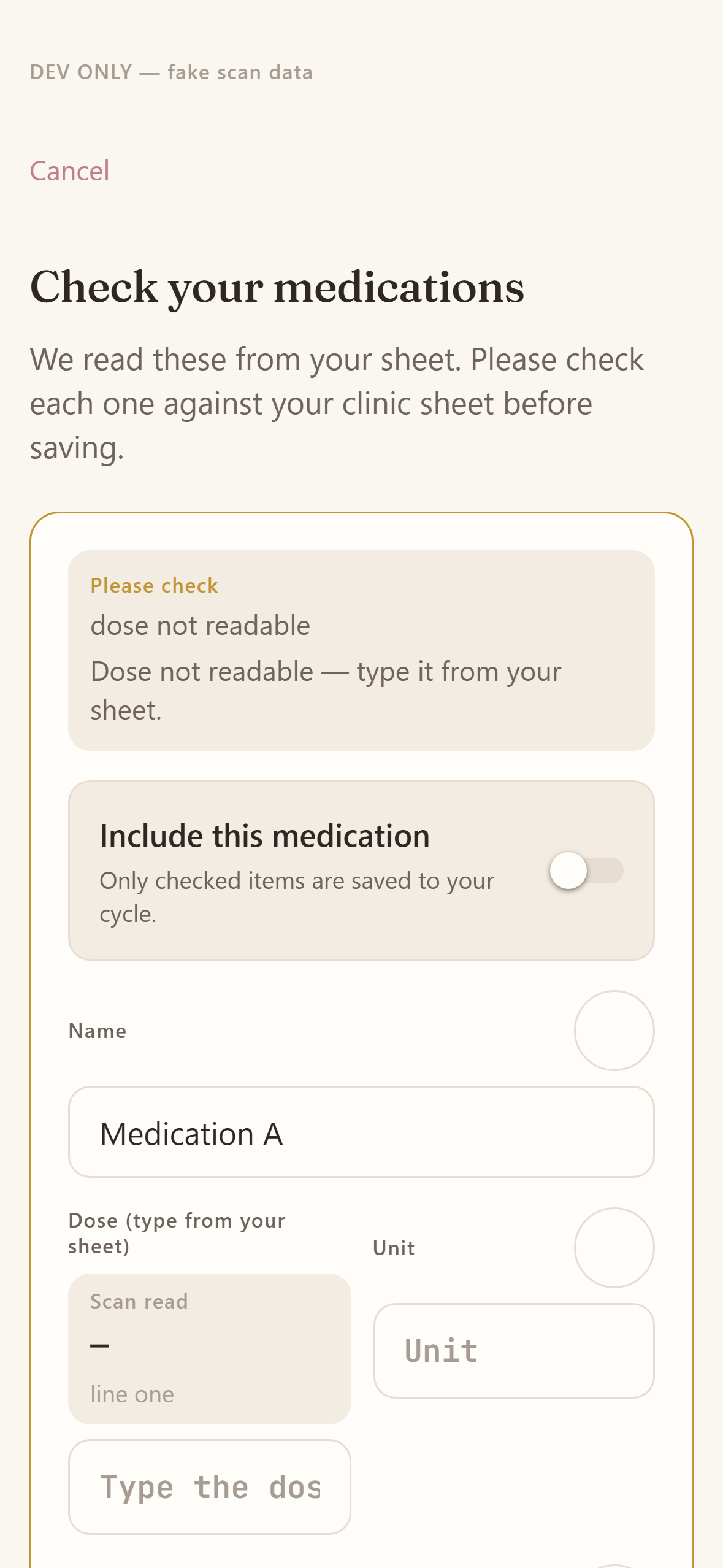
This example deliberately shows an unreadable dose and an unchecked inclusion control. A plausible-looking result still needs your review. Check the medicine name, dose, unit, start and end dates, and every scheduled time against the original. A number without the correct unit is not a verified dose.
3. Correct errors before including an entry
Use the original sheet to correct recognition errors. If the original itself is unclear, ask the clinic; do not infer the intended dose or timing. Exclude an entry you cannot verify. Review each included item rather than accepting a whole scan on appearance alone.
4. Confirm and check the saved schedule
Save only the entries you have checked. Then inspect the resulting daily schedule and notification settings. Keep a separate backup for time-critical doses. When the clinic changes the plan, check the new instructions and update the schedule; an old photo is not the current prescription.
What this process does not prove
A confirmation screen is a review step, not clinical validation or a guarantee of extraction accuracy. COVE does not prescribe, interpret laboratory results or decide what to do about a missed injection. The HFEA IVF overview provides independent treatment background, not an endorsement of COVE.
Privacy and availability
According to COVE's privacy policy, photos submitted for extraction are discarded after processing; uploaded PDFs may be retained as documents. Saved treatment records use encrypted cloud storage. Read the policy before uploading.
COVE is available on iPhone and Android. Features can differ by platform and version; check your store listing before subscribing. Check the purchase screen for local pricing, trial eligibility and renewal terms.